
HTTP status codes are fundamental to web development and API management, serving as the language through which servers communicate outcome messages to clients. Among these, the 403 Forbidden and 401 Unauthorized responses are often confused due to their security-related implications. This article unpacks their key differences, usage contexts, and significance in protecting web resources effectively.
What Are 403 Forbidden and 401 Unauthorized Responses?
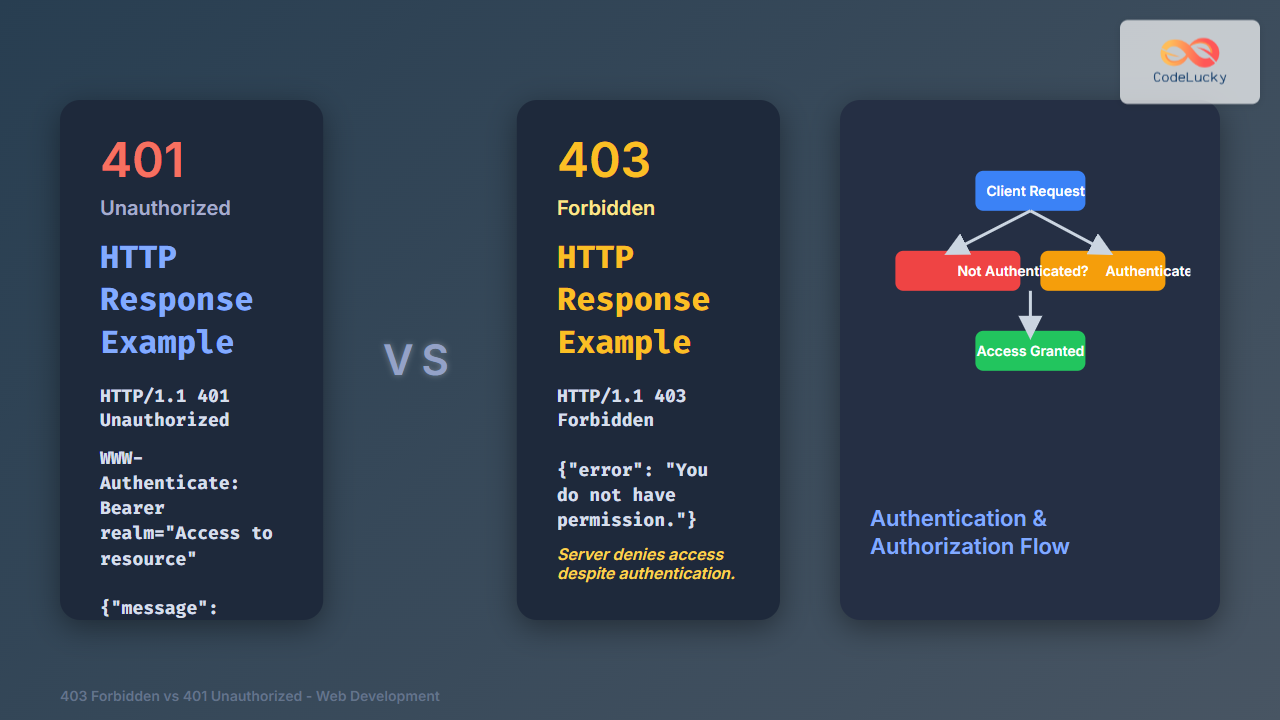
Both 403 Forbidden and 401 Unauthorized are HTTP response status codes within the 4xx class, indicating client-side errors related to access permissions. However, their semantic meanings and use cases differ distinctly.
- 401 Unauthorized: Indicates the client has not authenticated or the authentication has failed. The response must include a
WWW-Authenticateheader prompting credentials. - 403 Forbidden: Means the client is authenticated but does not have permission to access the requested resource, so access is refused.
Detailed Differences Between 403 and 401
| Aspect | 401 Unauthorized | 403 Forbidden |
|---|---|---|
| Meaning | Unauthenticated or missing valid authentication credentials. | Authenticated but lacking permission to access the resource. |
| Typical Scenario | User needs to log in or provide valid credentials. | User is logged in but forbidden from accessing a page or resource. |
| WWW-Authenticate Header | Sent with this response to request authentication. | Not usually sent since authentication is known. |
| Client Action | Retry with valid credentials or authenticate. | No use retrying with different credentials – access denied. |
| Use Case Examples | Login page, OAuth token missing or invalid. | Insufficient user role, IP blacklisted, restricted resources. |
How Servers Decide When to Use Each
Understanding the flow of a typical HTTP request and response cycle helps clarify when to use each status:

Practical Code Examples
1. Example of 401 Unauthorized (Node.js Express)
app.get('/private', (req, res) => {
  const auth = req.headers.authorization;
  if (!auth || !isValidToken(auth)) {
    res.set('WWW-Authenticate', 'Bearer realm="Access to private data"');
    return res.status(401).send('401 Unauthorized: Authentication required.');
  }
  res.send('Here is the private information.');
});
Visual output in browser or HTTP client:
401 Unauthorized: Authentication required.
Header: WWW-Authenticate: Bearer realm="Access to private data"
2. Example of 403 Forbidden (Node.js Express)
app.get('/admin', (req, res) => {
  if (!req.user) {
    return res.status(401).send('Please log in first.');
  }
  if (!req.user.isAdmin) {
    return res.status(403).send('403 Forbidden: Access denied.');
  }
  res.send('Welcome, admin!');
});
Visual output in browser or HTTP client:
403 Forbidden: Access denied.How to Handle Them in Frontend Applications
In frontend JavaScript (e.g., using fetch API), handling these statuses properly improves UX and security by prompting relevant user actions:
fetch('/api/data')
  .then(response => {
    if (response.status === 401) {
      alert('Please log in to continue.');
      // redirect to login page or show login modal
    } else if (response.status === 403) {
      alert('You do not have permission to access this resource.');
      // show access denied message or redirect elsewhere
    } else {
      return response.json();
    }
  })
  .then(data => {
    console.log(data);
  });
Summary
- 401 Unauthorized means the request lacks valid authentication credentials, and the server expects authentication to be provided.
- 403 Forbidden means the server understands the request and authentication is successful but refuses authorization due to insufficient permissions.
- Correctly using these codes helps to clarify security boundaries in web applications and APIs for both developers and users.
Mastering these codes can dramatically improve the quality of authentication and authorization control while keeping clients properly informed.





